
Wacom
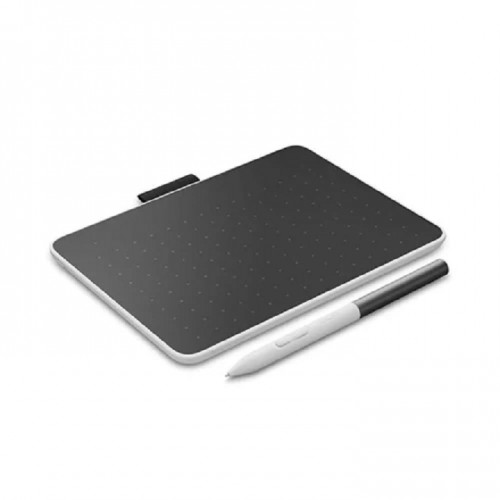
Wacom CTC6110WLW1B One Pen Tablet Medium Black/White
Part No: CTC6110WLW1B
Call for Quote
Indicative price — subject to change. Request a quote for confirmed pricing.
Specifications
- Manufacturer
- Wacom
- Model
- Wacom CTC6110WLW1B
- Manufacturer Part No
- CTC6110WLW1B
- Compatible Country
- Middle East, Africa, Iran, Dubai
- Country of Origin
- Japan
- EAN Code
- 4949268623391
Alternate / cross-brand similar products
AI-matched alternatives based on specifications


Product description & technical overview
Wacom Wacom CTC6110WLW1B
Main
- Color Family
- Multi-colour
- Brand
- Wacom
- Color
- Black/White
- Model Number
- CTC6110WLW1B
General
- Type
- Graphics Tablet
- What's in the Box
- 1 x Wacom One M Pen Tablet, 1 x Wacom One Standard Pen, 1 x USB-C to C L-shape cable 1m, 1 x Replacement nib (POM), 1 x Nib removal tool, 1 x Quick Start Guide, 1 x Regulation sheet
- Cable Type
- Type C Cable
Features
- Features
- Wacom One M pen tablet, compact and versatile with blue-tooth and natural pen input. Perfect for creative beginners, note taking and digital signatures | Including Wacom One Standard Pen: battery-free EMR pen, with 4k pressure sensitivity, tilt recognition, virtually no lag and 2 programmable buttons for customization | Easy and fun to use: Plug-Play connection (except for macOS) with USB-C cable or blue-tooth, intuitive 4k pen control, compatible with your beloved third party EMR pens with UD Pen technology | Compatible with Windows, Mac, Chromebook and Android. The Wacom Adventure Program provides access to a wide range of software including learning videos, trainings and exclusive bonus content.
- Controls
- Button control
Connectivity
- Interfaces
- USB, Bluetooth
- USB
- USB-C
Physical
- Buttons
- 2 programmable buttons
- Weight
- 345 g
- Requirements
- Required Operating System
- Windows, Mac, Chromebook and Android